

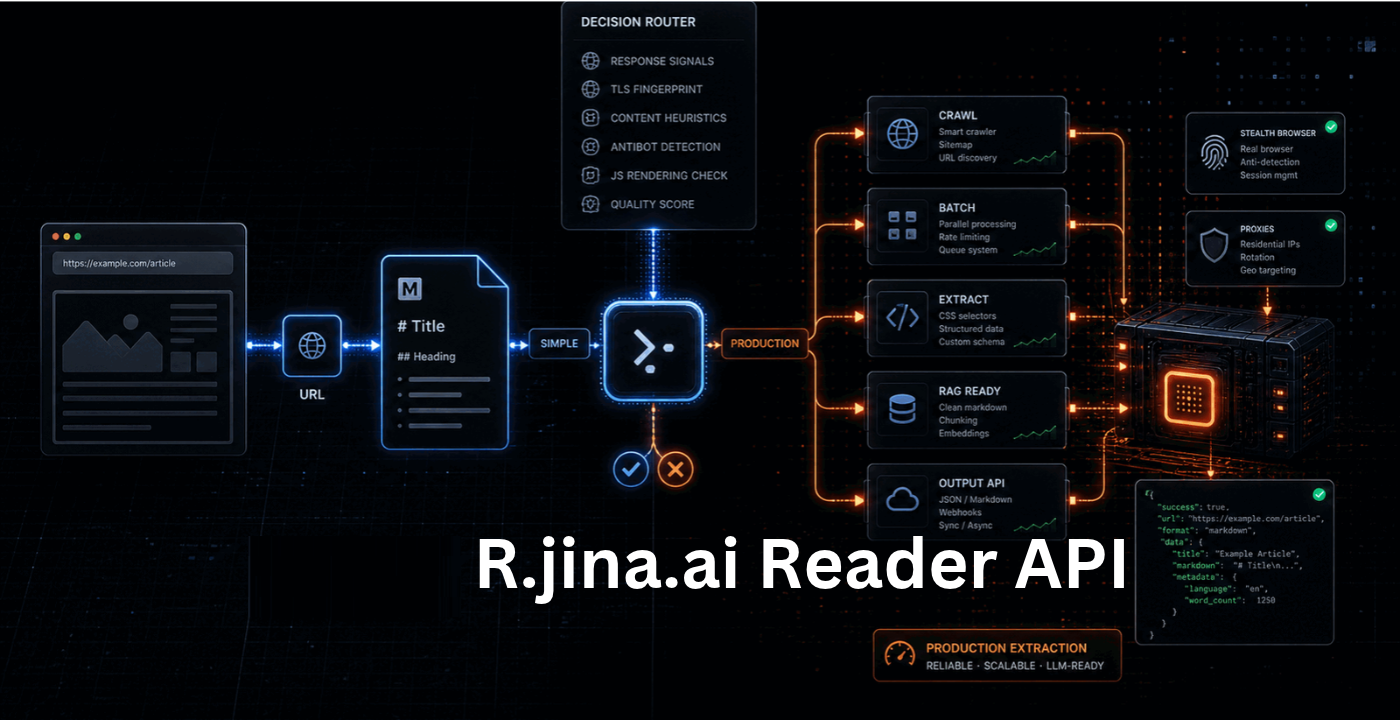
While there is useful information on web pages, menus, advertisements and other extraneous additions can make it difficult to gather the main content. The R.jina.ai Reader API can help address this by converting web pages into clean text that AI can read and understand. It can be beneficial for developers, researchers, and anyone creating an AI chatbot or knowledge base.
So what is it, what does it do, what features does it provide and what does it have to offer against other tools that extract web content? It is a simple English guide to its primary features, benefits, limitations, cost and common uses.
What Is the R.jina.ai Reader API?
Jina AI’s R.jina.ai Reader API is a service for extracting content from a website. It is a public webpage URL and returns the content in a format that is easier for AI models to understand such as Markdown.
Users can navigate to cleaner text, as opposed to processing a full webpage that includes navigation menus, advertisements and footers. This can be helpful in summarizing articles, answering questions regarding web pages and gathering information for AI utilization. This service also can handle PDF URLs that are supported and provides options for structured output.
How Does the R.jina.ai Reader API Work?
The Reader API is easy to use. After the Reader endpoint you include a webpage URL and the service fetches the page, extracts the main content and returns readable text.
To read an article, for example, you can use this type:
https://r.jina.ai/https://example.com/article
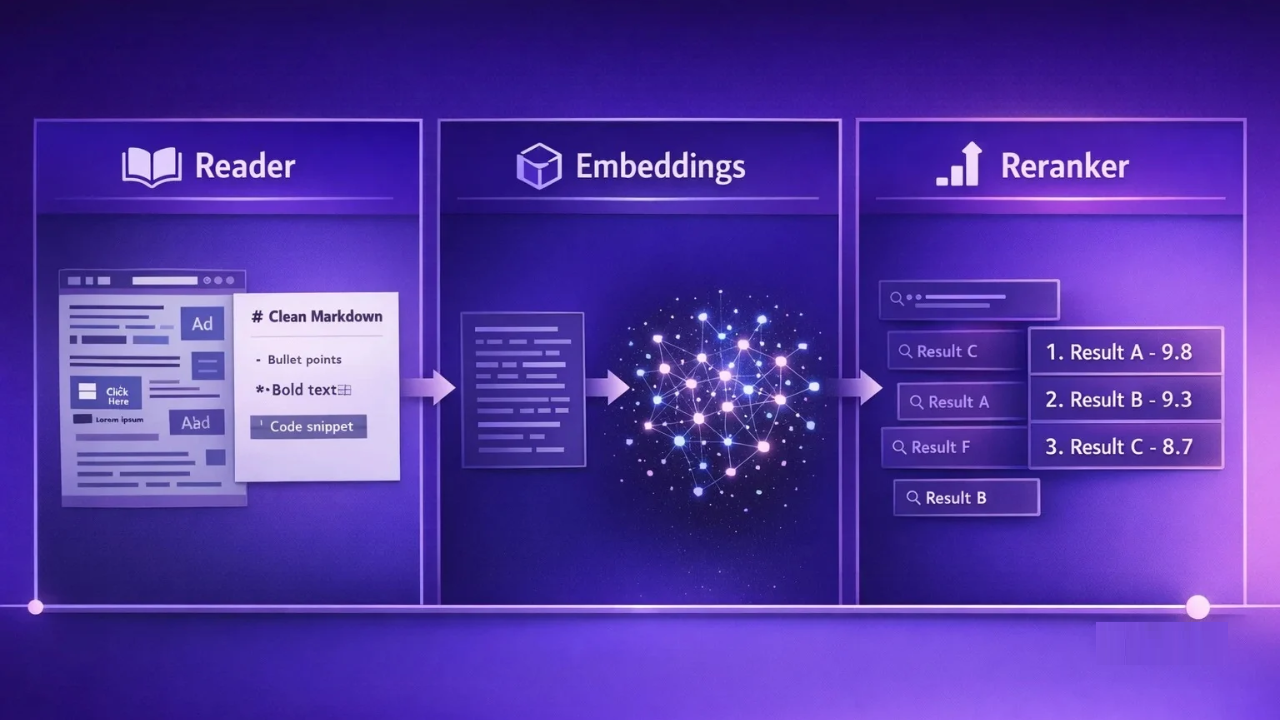
Change www.example.com/article to the desired URL to process. This method can be used for basic use without an API key. If you require more requests in the applications, you can generate a Jina AI API key and attach it to your request.
The service can serve Javascript-based pages with its default browser engine. It also provides for control of extraction and output with request headers. The result, however, is dependent on the target website as well as access rules to the website.
Read Also: How to Stop Dog Barking: A Kind and Effective Training Plan
Key Features of Reader API
There are a number of features of the Reader API that help make web content easier to use.
Clean Markdown Output: Strips out a lot of the excess page content and returns the content of the main text in Markdown. AI models, documentation and text-processing tools can use this format.
Automatic content extraction: Users need not to write CSS selectors or a scraping rule for each page. Content is automatically detected and retrieved for the service, where it is believed to be useful.
JavaScript rendering: It comes with a default JavaScript rendering engine in the browser, which can render many pages that require JavaScript to render. There may be some pages that still do not work or don’t return the data.
Custom output controls: Headers can be used to ask for various output formats, restrict content, or add or remove elements of a page. It is also possible to use the structured data extraction with the features of ReaderLM-v2 in the service.
Support for PDFs: The API can access readable content from supported PDF URLs, which can be useful for researchers and developers to manipulate the content of online documents.
R.jina.ai Reader API vs. Firecrawl
Jina AI Reader and Firecrawl can both convert web pages into content for use by AI applications. They do have some different purposes.
Jina Reader is an app that fetches a page and renders it as a pure text or Markdown. It’s a useful choice if you don’t want to create a thorough scraping system and want to go over individual URLs.
In addition to page extraction, Firecrawl also provides website crawling capabilities. It can navigate several pages, click on links, and retrieve data into an organized format based on the plan and API. It also provides tools to undertake more complex web browsing tasks.
For instance, when a researcher wishes to summarise one article only, then Jina Reader will be enough. If you are a developer that wants to gather data from a hundred of related pages, you might want to consider using
Firecrawl or another crawling platform.
Both tools have their advantages and disadvantages, and neither is suitable for all projects. The decision should be based on the factors of number of pages, nature of data, output required, budget etc.
Pricing and Free Usage
Jina AI offers free basic access to Reader, via URL-based endpoint. Users can also generate an API key for a higher number of requests and to utilize the service as an application.

As of this writing, Jina AI offers 10 million free tokens with each new API key. Paid usage is token based, in other words, cost is determined by the quantity of content returned. The published pricing list gives an approximate cost of $0.045/million tokens for the relevant token package, but this may change and the terms of the package is not specified.
If you are planning to use the service for a big project, visit the official Jina AI Reader pricing page. Check out the existing rate limits, token pricing and API conditions to figure out your overall expense.
Final Word
The R.jina.ai Reader API is a handy solution for converting public web pages into clean, AI-ready text. It’s easy to use, can be output as Markdown, and can be extracted in a flexible way, suitable for research, chatbots, and document processing.
It can be used as a starting point for projects that require reading individual pages. If you need to crawl a large site, or interact with it in any advanced way, consider using it along with Firecrawl or other comparable tools in comparison.
FAQs
1. What is the R.jina.ai Reader API used for?
Extracts readable text from webpages for AI use, research and text processing.
2. Does the Reader API have any cost to the user?
Basic access is available of course. API keys have higher limits and usage is based on tokens.
3. How to use the Reader API?
To request readable content, enter a webpage URL after https://r.jina.ai/.
4. What are the similarities and differences to Firecrawl?
Jina Reader is mainly for extracting pages and Firecrawl also has more features for crawling.
5. Is it able to read all websites?
Extraction results may be impacted by website restrictions, blocked requests and complex pages.
Read More: Fall Autumn Decor Ideas to Give Your Home a Harvest Look
